How to use KeysLingo
Open the keyboard for your language from the list of keyboards or the search at the top of every page. Everything below works the same way in every language.
Tap or click the keys
Tap or click the keys under the text box. Shift shows the second letter on each key, and on layouts that have them, AltGr shows a third set. On a phone, press and hold a key to see the other letters on it, then slide to the one you want. Suggestions appear above the keys as you type: tap one to use it.
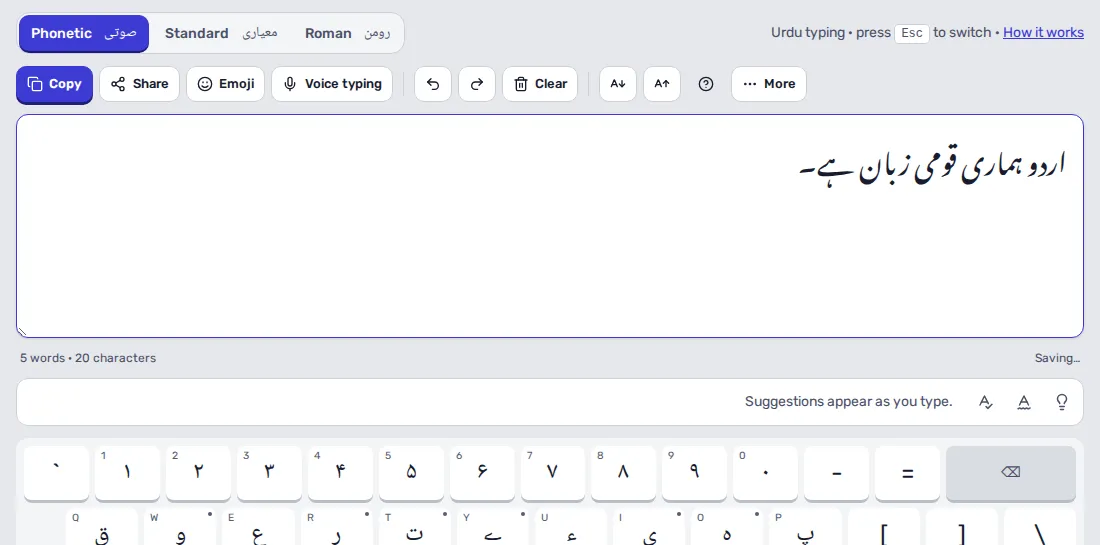
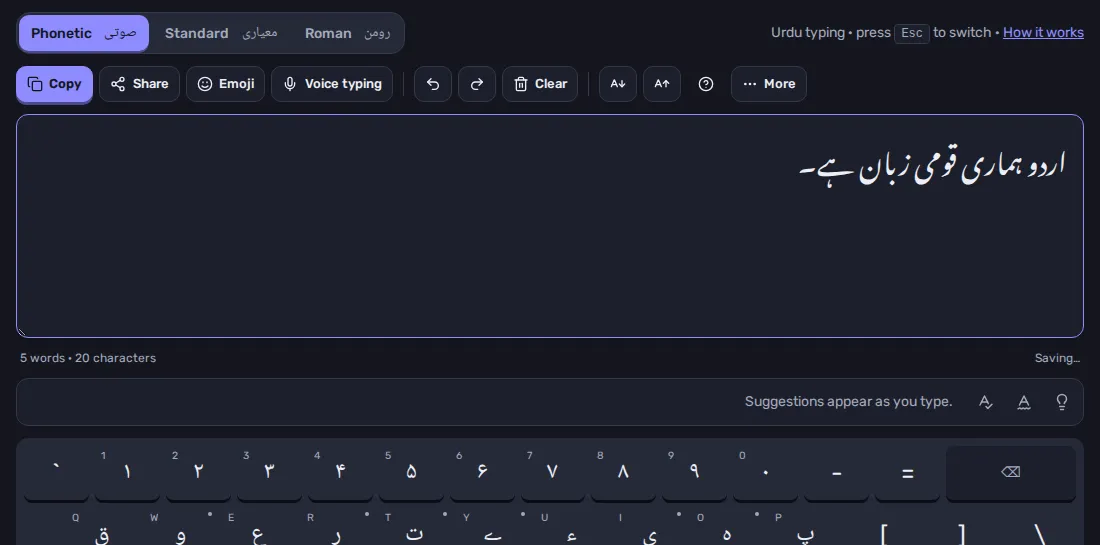
Type with your computer's keyboard
Click in the text box and type on your own keyboard: each key types the letter shown on the matching on-screen key, so you don't need to install anything. Press Esc to switch to English for a moment and again to switch back. Your computer's shortcuts keep working: Ctrl+C, Ctrl+Z and so on.
Phonetic, standard and English letters
Most languages have more than one layout. Pick one from the tabs above the text box:
- Phonetic puts each letter on the English key that sounds like it, so it is quick to learn. On the Urdu keyboard, s types س.
- Standard is the layout used by the operating system or taught in schools and offices in that country. Use it if you already touch-type it.
- Roman (typing in English letters) lets you write words the way you would in a text message, such as shukriya, and turns each one into the script when you press Space.
Your choice is remembered for next time.
On a phone
The first time you open a keyboard on a phone, choose how you'd like to type: tap the keys on the page, or use your phone's own keyboard. You can change this later from More. The keys stay at the bottom of the screen while you scroll.
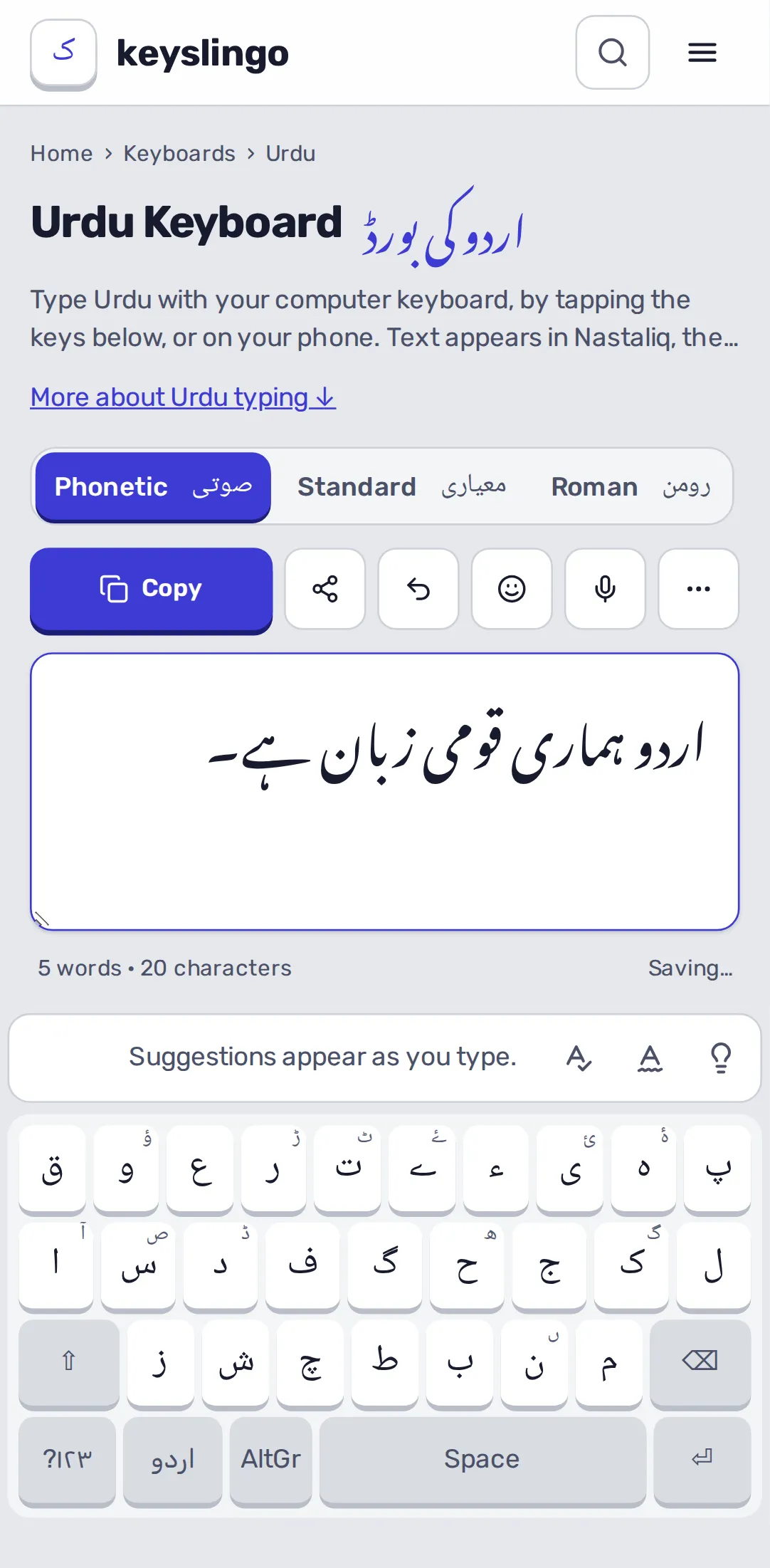
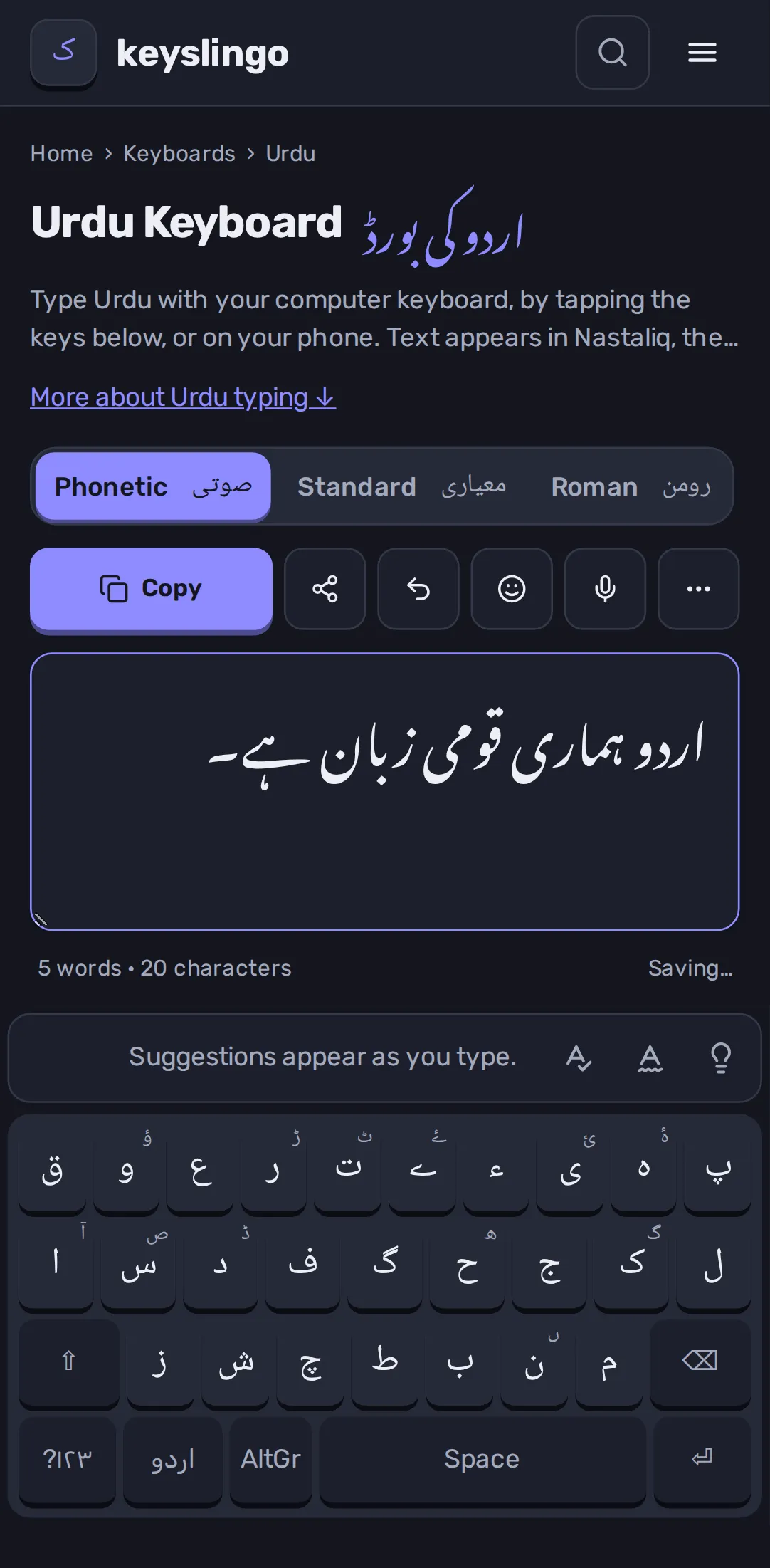
Copy, share, text size and more
- Copy copies all the text, ready to paste anywhere.
- Share opens your phone's share menu, or sends the text to WhatsApp.
- A↓ and A↑ make the text smaller or larger. The help icon (?) opens this page.
- More has the font, your drafts, downloads (Word, PDF, text or an image card), look-up in a dictionary or translator, and on a phone, undo, redo and text size.
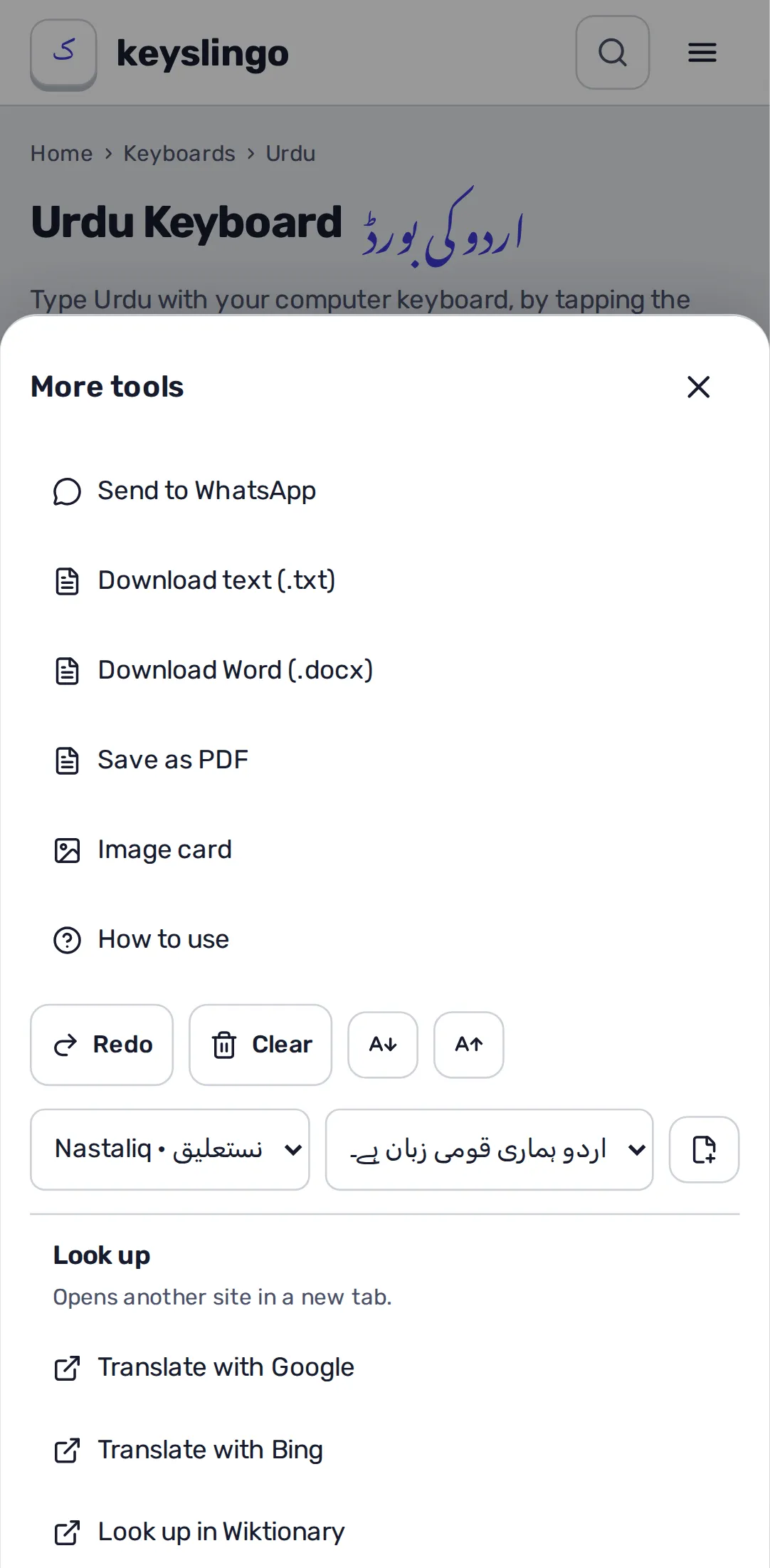
Your text is saved on your device as you type, so it is still there if you close the page. Start a new draft from More to keep several.
Install it and use it offline
Pages you have opened keep working without the internet. To keep a whole language for offline use, including its word suggestions, press Save for offline on its keyboard page.
To install KeysLingo as an app: on Android, open the browser menu (⋮) and choose Install app or Add to Home screen; on an iPhone, tap Share, then Add to Home Screen; in Chrome or Edge on a computer, use the install icon in the address bar.
Typing lessons, tests and the certificate
The typing course teaches each layout row by row with a finger guide. Try the Urdu typing tutor or take a typing test to see your speed. After enough tests you can make a practice certificate. It shows your results with a code anyone can check, but it is a self-test: nobody watches you take it.
Your progress is kept on this device. On the progress page you can export it to a file and import it on another device.
Converters and text tools
The tools convert text without typing it again: InPage and Kruti Dev to Unicode, one script to another, numbers to words, and more. Paste your text, and copy the result. Check important text after converting, because old fonts were not always used the same way.
Still stuck? Contact us.